
A golf tournament is one of the best ways to bring a club, a school or a company together, and one of the easiest to get wrong if the planning slips. This guide walks through each step in order, based on what we have learned running the VCD Golf Tournament every year and helping other clubs run theirs on the VCD Golf App.
1. Decide the Purpose and Budget
Is it a members' championship, a fundraiser, a sponsor event or a casual outing with friends? The answer shapes everything else: the entry fee, the size of the field, the prizes, and how serious the scoring needs to be. Write down a rough budget covering green fees, caddies, food, prizes and printing before you go further.
2. Pick the Date and Book the Course
Popular courses book up early, especially on weekends. Contact the club months ahead, confirm the number of players they can take, and ask whether they prefer a shotgun start (every group starts at the same time on different holes) or tee times. In Davao, our guide to the golf courses in Davao City is a good place to start.
3. Choose the Format
For most club events, Stableford is the friendliest choice: players score points on every hole, and one bad hole does not end their day. Serious championships often use stroke play. Decide whether you will award gross prizes, net prizes or both. If you are unsure, read Stableford scoring explained.
4. Set Up Classes
Group players into classes or divisions, for example by handicap range, plus ladies and seniors classes. Classes let more players compete for a prize and keep the awards fair.
5. Open Registration and Build the Player List
Collect each player's name, handicap and class. Keep the list in one place. In the VCD Golf App you can type players in or import a spreadsheet, and the list updates everywhere at once.
6. Assign Tee Times and Flights
Groups of three or four players with the same tee time and starting hole form a flight. Share the tee sheet early so players know where to be. On the app's public page, players can open By tee time, type their name, and see their whole flight.
7. Bring In Sponsors
Sponsors help cover costs and prizes. Hole sponsorships are a classic: our 2025 tournament had hole-in-one sponsors on four holes. Thank sponsors on your tournament page and on the day.
8. Plan Scoring on the Day
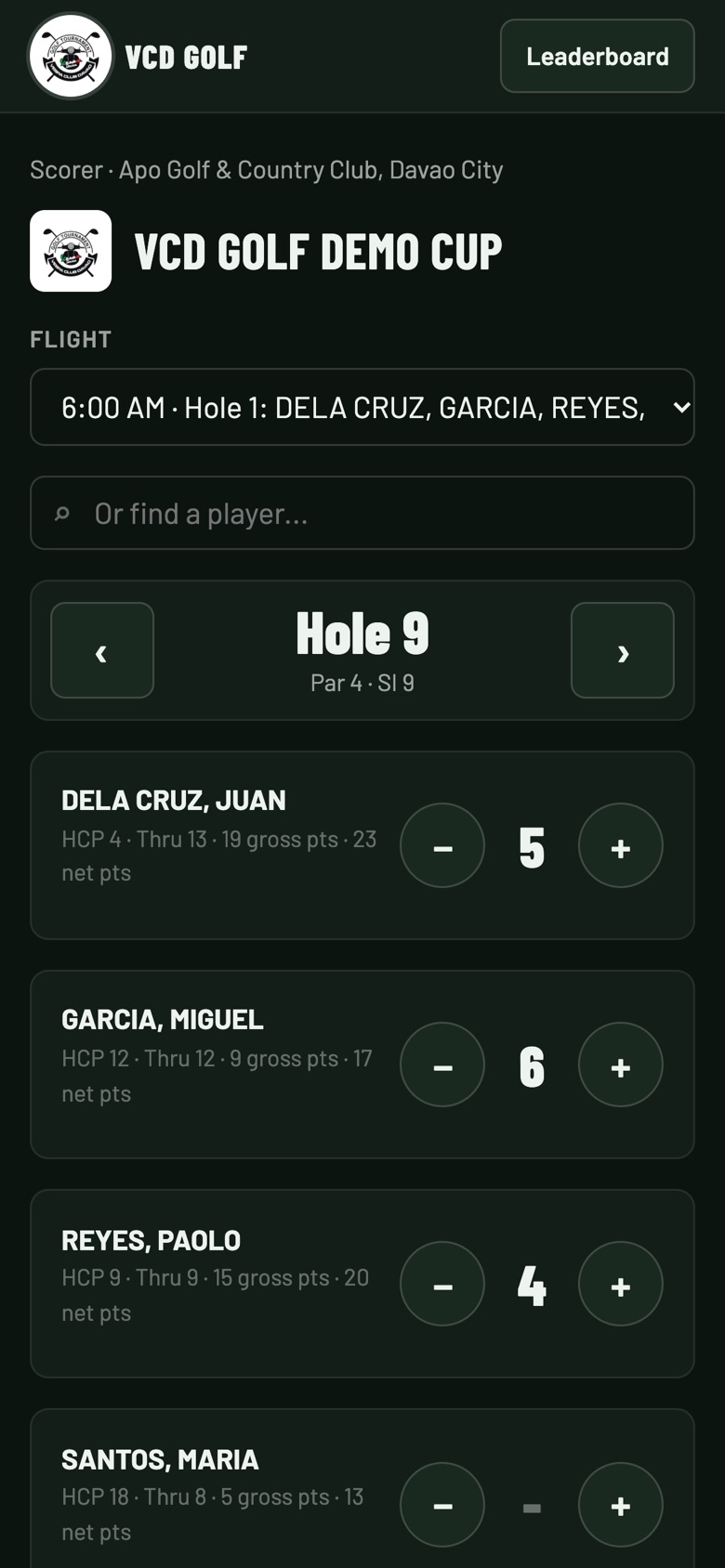
This is where most tournaments struggle: paper cards, long waits at the clubhouse and mistakes in the totals. With the VCD Golf App you can choose who enters scores:
- Your scorers use one scorer link for every flight.
- Players enter their own flight's scores from their phones. Each flight gets its own link and QR code, with an optional 4-digit PIN, and you can print one QR card per flight to hand out at registration.
Scores appear on a live leaderboard that anyone can follow, with no account needed.
9. Awards and Results
Decide your award list in advance: overall gross and net champions, class winners and special prizes. Agree on how ties are broken; the app uses countback on the back nine, then the last six, three and one holes. When the last flight finishes, the app works out the winners, and you can print the results or save them as a PDF.
10. After the Tournament
Share the results and photos the same day while the excitement is high, thank your sponsors, and write down what to improve next year.
Want to See It in Action?
Browse tournaments on the VCD Golf App, including the Davao events we mention above. If players are new to tournaments, share our guide to playing your first golf tournament with them.